Ultimate Knife Duels Guide: Tips, Tricks, and Best Settings
Master the arena with our comprehensive Knife Duels guide. Learn the best settings, movement tricks, and active codes to dominate every Roblox match today!
Published:
Table of Contents
Entering the high-stakes arena of Roblox's most intense bladed combat requires more than just quick reflexes; it demands a tactical edge. This knife duels guide is designed to transform you from a novice player into a feared competitor by breaking down every mechanic, from pixel-perfect aim settings to the most unpredictable movement patterns. Whether you are aiming for a massive win streak or looking to collect the rarest skins, understanding the nuances of the game is essential for survival.
In the fast-paced world of competitive Roblox gaming, precision is everything. This knife duels guide will walk you through the optimal configuration for your crosshair, the secret to landing 9999-damage headshots, and how to manage your economy to unlock the most prestigious knives in the game. By the end of this article, you will have the knowledge needed to smoke your opponents and climb the leaderboards with confidence.
[summary]
Quick Strategy Overview
Success in KNIFE DUELS relies on three pillars: Optimized Settings (Dot crosshair and high FOV), Unpredictable Movement (constant sliding and dashing), and Headshot Precision (aiming for the torso to naturally snap to the head). Always redeem active codes like "summer" to jumpstart your coin collection for crates.
Optimizing Your Settings for Peak Performance
Before you throw your first blade, you must ensure your technical setup isn't holding you back. Many players overlook the settings menu, but in a game where milliseconds matter, the right configuration can be the difference between a victory and a trip back to the lobby.
The Perfect Crosshair Setup
Community reports suggest that the default crosshair can often be distracting. Experienced players almost universally recommend switching to a Dot crosshair. A dot provides a clear point of reference without obscuring the enemy's head, which is your primary target. Set your dot size to approximately 6 and choose a high-contrast color like Green or Cyan. These colors stand out against the varied textures of maps like Sands and Warehouse, ensuring you never lose track of your aim point during a chaotic scramble.
Input and FOV Adjustments
Your Field of View (FOV) should be set between 90 and 100. A higher FOV allows you to see more of the arena, helping you spot "rats" hiding in corners or enemies attempting to flank you. For mobile and console players, enabling Aim Assist is mandatory to remain competitive against PC users. Additionally, turning on Instant Right Click Follow and Auto Sprint will streamline your movement, allowing you to focus entirely on your positioning and timing.
Setting Category
Recommended Value
Why It Matters
Crosshair Type
Dot
Minimizes visual clutter for better headshot precision.
Dot Size
6
Large enough to see, small enough to be precise.
Crosshair Color
Green / Cyan
Provides maximum visibility against most map backgrounds.
FOV
90 - 100
Increases peripheral vision to detect flanking enemies.
Auto Sprint
ON
Ensures maximum mobility at all times without extra keypresses.
Aim Assist
ON (Mobile/Console)
Bridges the gap between touch/controller and mouse inputs.
Mastering Movement: The Art of Being Unpredictable
In KNIFE DUELS, a stationary target is a dead target. To become a pro, you must master the game’s movement physics. The goal is to make your hitbox as difficult to track as possible.
The Power of the Slide and Dash
One of the most effective tactics shared by the player community is the constant use of the Slide and Dash mechanics. Running in a straight line makes your movement path predictable, allowing even mediocre players to land a hit. Instead, you should be zig-zagging and sliding frequently.
When approaching an enemy, try to dash to the left or right just as they are about to throw. This sudden change in velocity often causes their knife to sail harmlessly past you. Combining a jump with a dash can also create vertical unpredictability, making it much harder for your opponent to line up a headshot.
Using the Training Area
If you find yourself struggling with the timing of your slides, spend time in the dedicated Training Area. This zone allows you to practice your movement loops without the pressure of a live match. Practice running toward a target, sliding, and immediately switching directions. The faster you can transition between these states, the more "slippery" you will appear to other players.
Combat Mechanics: Why Headshots are King
The damage model in KNIFE DUELS is heavily weighted toward precision. Understanding the math behind the hits will change how you approach every encounter.
Damage Multipliers
A standard body shot deals 75 damage. While this is significant, it usually requires two hits to secure a kill if the opponent is at full health. In contrast, a Headshot deals a massive 9999 damage, resulting in an instant kill regardless of the circumstances.
The Torso Aiming Secret
A common pro tip is to aim for the upper torso rather than the head itself. Because of the game's projectile physics and player movement (like jumping), aiming for the chest often results in the knife connecting with the head as the opponent moves or as the projectile levels out.
Jump Shots and XP
Landing a kill while in mid-air is referred to as a Jump Shot. Not only does this make you harder to hit, but it also rewards you with bonus XP. Accumulating XP is the primary way to level up your account, which serves as a badge of honor and experience within the community.
Hit Location
Damage Dealt
Kill Potential
Head
9999
Instant Kill (1-hit)
Torso/Body
75
2-hit Kill
Jump Shot
Varies
Bonus XP Reward
Economy Guide: Coins, Premium Currency, and Crates
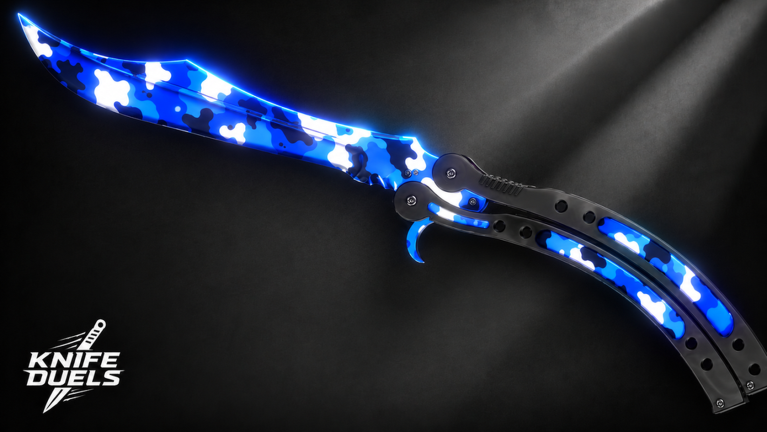
Collecting skins is a major part of the KNIFE DUELS experience. Whether you want the Cosmic Karambit or a sleek Butterfly knife, you need to understand how the currency system works.
Earning and Spending Coins
Coins are the basic currency earned by playing matches and winning duels. These are used to buy standard crates, such as the Summer Crate. While these crates offer a chance at great skins, they are also your gateway to the premium economy.
Premium Currency and Trading
Premium currency is harder to come by but is essential for high-tier cases. A popular strategy among the community is to open coin-based cases and then sell the resulting knives for premium currency. For example, a "Soda" knife might net you 100 premium currency.
Additionally, players often utilize multiple accounts to gather daily rewards or event items, which can then be traded to a main account. This allows you to accumulate enough currency to bid for legendary items like the Cosmic Karambit, which many players believe makes them play better due to the improved visual "feel" of the weapon.
Item Type
Acquisition Method
Rarity Level
Standard Knives
Coin Crates / Trading
Common to Rare
Premium Knives
Premium Cases / Selling
Epic to Legendary
Event Knives
Limited Time Codes / Crates
Limited
Platform Controls and Commands
KNIFE DUELS is accessible across PC, Console, and Mobile, but each platform has a distinct control scheme. Mastering your specific inputs is a foundational step in this knife duels guide.
PC Controls
PC players generally have the highest ceiling for precision due to mouse aiming.
W, A, S, D: Movement
Mouse: Camera control and aiming
Space Bar: Jump
Hold Left Mouse Button: Charge and throw knife
Shift: Sprint (if Auto-Sprint is off)
Console (Xbox/PlayStation) Controls
The game features full controller support. The left analog stick handles movement, while the right stick is used for aiming. Trigger buttons typically handle the throwing mechanics. The inclusion of aim assist helps controller players maintain a competitive edge.
Mobile Controls
Mobile players use a touch-based interface. While there are no physical buttons, the screen features virtual joysticks and dedicated tap zones for:
Sliding
Jumping
Throwing
Slash attacks (Melee)
Active Codes and How to Redeem Them
To give yourself a head start in the economy, you should always look for active codes. These provide free coins that can be used to buy your first few crates.
Currently Working Codes
As of the latest community updates, the following codes are confirmed to be working:
load in - Grants a starting bonus of coins.
summer - Grants coins specifically for summer-themed crates.
Navigate to the Codes button on the main menu or sidebar.
Type the code exactly as shown above.
Press the redeem button to claim your rewards.
Map Knowledge and Strategic Positioning
Knowing the layout of the arena is just as important as having good aim. Each map in KNIFE DUELS offers different opportunities for cover and flanking.
Popular Maps and Their Quirks
Sands: A wide-open map where long-range throws are common. High FOV is very helpful here.
Jail: Features many tight corridors and rooms. This map favors players who are good at "cornering" or waiting for an enemy to round a bend.
Warehouse: A balanced map with plenty of verticality. Use the crates and elevated platforms to gain a height advantage, which makes landing headshots easier.
Grid: A very structured, symmetrical map. This is often considered the "purest" form of dueling where movement skill is the deciding factor.
Dealing with "Rats"
In community slang, a "rat" is a player who sits in their spawn or hides behind a single piece of cover for the entire match, waiting for you to push. To defeat a rat, do not run directly at them. Instead, use your dash and slide to move laterally (side-to-side) while closing the distance. Most campers struggle with fast-moving targets that don't follow a straight line.
Avoid Spawn Camping
While it might be tempting to wait for players at their spawn, this often leads to a stalemate or a "tie" if both players refuse to move. Engaging in active combat not only improves your skills faster but also increases your XP gain per hour.
Final Tips for Professional Play
To wrap up this knife duels guide, here are a few final pieces of advice from top-ranked players:
Sensitivity Balance: Don't set your sensitivity so high that you over-flick, but keep it high enough to do a 180-degree turn quickly.
Watch the Arcs: Knives have a slight travel time and arc. At long distances, aim slightly above the head.
Stay Calm: Panic-throwing usually leads to misses. Take that extra half-second to line up the torso/head rather than spamming the throw button.
Trade Wisely: Before selling a knife for premium currency, check the community trading values. Some "ugly" skins might actually be rare and worth more in a trade than a direct sell.
FAQ: Frequently Asked Questions
How do I get more premium currency in KNIFE DUELS?
The most reliable way to get premium currency is to buy standard crates with coins earned from matches and then sell the knives you receive. Higher rarity knives sell for more premium currency. You can also participate in community giveaways or trade rare items with other players.
What is the best crosshair for landing headshots?
Most pro players in this knife duels guide recommend using a small Dot crosshair. Setting the size to 6 and the color to Green or Cyan provides the best visibility and precision, allowing you to see the enemy's head clearly without the crosshair lines getting in the way.
Can I play KNIFE DUELS with a controller?
Yes, the game has full controller support for Xbox and PlayStation. When playing on a console, make sure to enable Aim Assist in the settings menu to help track fast-moving opponents and improve your overall accuracy during intense duels.
Why does my knife keep missing even when I aim at the player?
This is usually due to the enemy's movement or the travel time of the knife. Because players slide and dash frequently, you need to "lead" your shots (aim where they are going, not where they are). Also, remember that body shots only do 75 damage, so if you aren't hitting the head, they may survive your first attack.