Level Up Your Gameplay: Ultimate Knife Duels Montage Guide
Want to create the perfect knife duels montage? Discover expert tips for Roblox KNIFE DUELS, including high-skill combat strategies and editing techniques.
Published:
Table of Contents
Are you looking to capture your most thrilling moments and create an epic knife duels montage that captures the attention of the entire Roblox community? In the fast-paced, high-stakes environment of KNIFE DUELS, every strike counts, and producing a high-quality knife duels montage is the best way to showcase your elite mechanical skills and dominance on the leaderboard.
Understanding how to edit and present your gameplay is just as important as mastering the combat mechanics themselves. In this guide, we will explore not only how to capture your best footage but also how to refine your playstyle to ensure you have the highlight-reel moments needed for an unforgettable video.
Mastering the Combat Basics of KNIFE DUELS
To create content that resonates, you must first master the game. KNIFE DUELS is a unique, fast-paced first-person shooter where melee combat is the priority. Players engage in 1v1 to 4v4 duels, and the core objective is to be the first to reach six wins.
Why Mechanical Skill Matters
According to the official KNIFE DUELS page on Roblox, the game relies heavily on quick reflexes. Unlike traditional shooters, there is no room for error. When you are editing your knife duels montage, viewers can immediately tell if you are playing with intention or simply swinging randomly.
To improve your chances of success, focus on these fundamental combat pillars:
Skill Pillar
Strategy
Why It Helps
Movement
Strafing & Jumping
Makes you a harder target to track.
Timing
Predicting Swings
Allows for counter-attacks after an enemy misses.
Positioning
Duel Pad Control
Keeps you in the flow of consistent matches.
Tips for Recording High-Quality Footage
A successful knife duels montage requires crisp, clean footage. If your resolution is low or your framerate stutters, viewers will lose interest, regardless of how good your clips are.
Optimal Recording Settings
Professional creators often use tools like OBS Studio or native capture software to ensure 60 FPS recording. Aiming for consistent performance is key because knife combat in this game is incredibly fast; any frame drops during a fight will make your clips look amateurish.
Capture Pro-Level Clips
Always record in at least 1080p resolution. If you are playing on a high-end PC, prioritize frame rate over resolution to ensure the quick-twitch movements of knife combat are buttery smooth.
How to Edit Your Knife Duels Montage
The difference between a collection of random clips and a compelling knife duels montage lies in the editing process. You want to synchronize your kills with the beat of your music to create a rhythmic flow that keeps the audience engaged.
The Editing Workflow
When assembling your video, follow this systematic approach to maximize impact:
Selection: Filter through your raw recordings and pick the "clutch" moments (e.g., 1v4 comebacks or long-range knife tosses).
Syncing: Align your weapon strikes with the drops or sharp beats in your music track.
Pacing: Avoid long gaps between actions. Cut the dead air where nothing happens to keep the energy high.
Grading: Apply subtle color corrections to make the vibrant knife skins pop against the arena backgrounds.
Essential Editing Techniques
Community reports often suggest that "cinematic" transitions between matches can break the monotony of constant fighting. Use these transitions sparingly to highlight the progression of a winning streak.
Technique
Purpose
When to Use
Speed Ramping
Adds flair to kills
During high-speed chase sequences.
Beat Syncing
Increases engagement
Every time a player is eliminated.
Sound Design
Enhances immersion
Boosting the sound of the knife swing.
Advancing Your Knife Collection
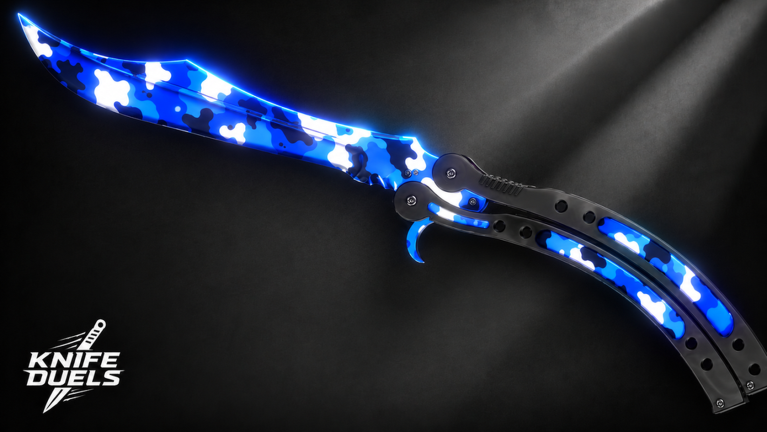
A big part of why players love watching a knife duels montage is the visual variety. Players can earn coins to unlock new skins, and trading is a massive part of the game's economy. Having unique, rare knives equipped in your clips immediately signals to the community that you are an experienced player.
Why Skin Rarity Adds Value
While skins don't change hitboxes, they add a layer of prestige to your clips. A player showing off a rare, high-value knife skin in a montage garners more respect from viewers. If you are serious about content creation, spend time grinding for the most visually impressive items to feature in your videos.
Avoid In-Game Exploits
The developers have a strict policy: cheaters and farmers will be permanently banned with no second chances. Never use hacks or automated farming scripts to get coins, as your account—and all your hard-earned progress—will be wiped.
Common Mistakes to Avoid in Your Montage
Even the best players make mistakes when showcasing their gameplay. Here are some pitfalls that can hurt the performance of your video:
Including too much "filler": Don't include footage of you running around the map. Only include the kills.
Poor Audio Balance: If your music is too loud, the game sound effects get buried. A good montage needs a balance between game audio (the sound of the "clink" upon impact) and the background track.
Lack of Variety: If every clip is a simple "walk up and click," the montage will become boring. Try to incorporate different angles or defensive maneuvers.
Boosting Your Community Presence
Once your knife duels montage is finished, where should you post it? YouTube and short-form platforms like TikTok are currently the best places to reach the Roblox gaming audience. Use relevant tags like #Roblox, #KnifeDuels, and #FPS to help the algorithm categorize your content correctly.
Engaging With Other Players
Don't just post and leave. Participate in the community discussions. Share your video in relevant Discord servers or comment sections. Ask for feedback on your editing style. The more active you are, the more likely the community is to support your future content.
Platform
Strategy
Expected Reach
YouTube
High-quality long-form edits
High (Search traffic)
TikTok/Shorts
Fast-paced, beat-synced highlights
Very High (Viral potential)
Facebook
Targeted groups
Moderate (Community focused)
Frequently Asked Questions (FAQ)
Q: What is the best way to record a high-quality knife duels montage?
A: Use high-quality screen recording software like OBS, ensuring you maintain a stable 60 FPS. Focus on capturing high-intensity duels rather than standard gameplay to keep your montage exciting.
Q: Does having better knife skins help me win more duels?
A: No, skins are purely cosmetic. However, they demonstrate your dedication to the game and make your knife duels montage look more professional and impressive to potential viewers.
Q: Where can I find music for my montage?
A: Always use royalty-free music platforms to avoid copyright strikes. Syncing your kills to the beat of your music is the most important step in creating a high-energy video.
Q: How do I get better at KNIFE DUELS to improve my footage?
A: Focus on your strafing and learn the hitboxes of your favorite knives. Spend time in the duel pads to practice against different player styles—this practice will naturally lead to more "montage-worthy" moments.